
Apple
Apple May Introduce a fully Customizable Camera App With iOS 27

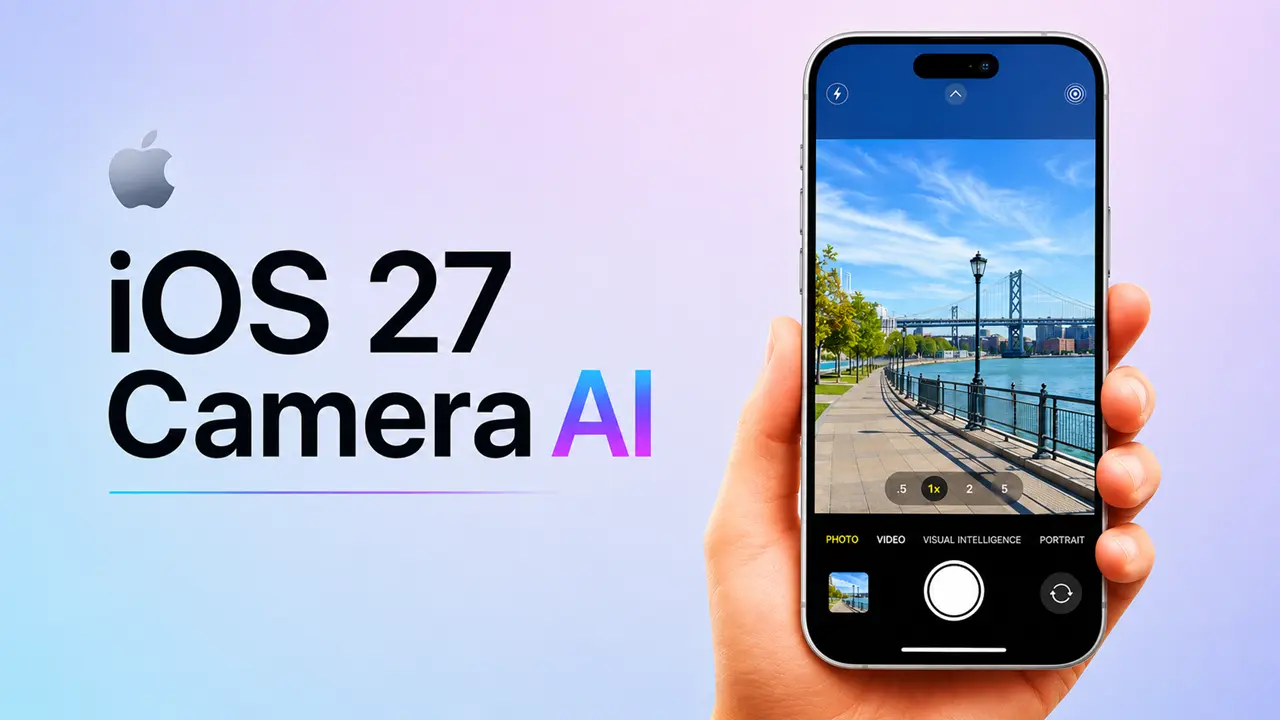
Apple is looking up for some serious camera improvements with upcoming update iOS 27. Based on early leaks and industry buzz, the company might be rolling out a much more flexible Camera app — one that hands users real control over how they shoot.
The update seems to be centered around three things: personalization, speed, and smarter AI features. As mobile photography keeps growing in importance — for everyone from casual snappers to full-time creators — Apple looks ready to stop playing it so safe with the Camera app and finally open things up a bit.
What Is Changing in the iOS 27 Camera App?
The big shift with iOS 27’s Camera app is that users may actually get to decide how it looks and works. Rather than being locked into Apple’s default layout, iPhone owners could rearrange controls and surface the tools they reach for most.
For a company that’s historically kept the Camera app pretty locked down, that’s a meaningful change.
Custom Camera Controls
Apple may let users pin specific shortcuts right on the main camera screen. Exposure, timer, flash, portrait mode, frame rate — whatever you use most could end up just one tap away instead of buried in a submenu.
That alone would save photographers and videographers a lot of unnecessary menu-digging mid-shoot.
Rearranging Camera Modes
There’s also talk of being able to reorder the camera mode carousel. If you live in Video mode or shoot Slow Motion constantly, you’d no longer have to swipe past modes you rarely touch just to get there.
It’s a small change on paper, but for content creators who switch modes frequently throughout the day, it could make a real difference in how the app feels to use.
Personalized Camera Interface
iOS 27’s Camera app may offer different interface styles altogether — something stripped-back for everyday users and something closer to a pro-style layout for people who want more hands-on control.
Done right, this could make the Camera app feel approachable for beginners without watering it down for the people who actually want those advanced options.
AI-Powered Photography Tools Could Arrive
AI looks set to play a bigger role in upcoming update iOS 27 than in previous updates. Apple may introduce tools that automatically fine-tune lighting, color balance, and subject focus. — no manual adjustments needed.
Some reports also hint at smarter scene detection and editing suggestions that pop up right inside the Camera app itself.
For users who just want to point and shoot and walk away with something great, that kind of behind-the-scenes intelligence could be a genuine game-changer.
Read More: Everything You Need to Know Apple AI Pin.
Faster Access to Important Settings
Right now, tweaking certain camera settings means leaving the Camera app entirely and heading into Settings — which, honestly, has always been a bit of a workflow killer. iOS 27 may finally fix that by pulling those controls directly into the camera interface.
Users could get on-the-fly access to things like:
- Video resolution
- Frame rates
- HDR controls
- Audio settings
- Lens switching
Having all of that within reach while you’re actually shooting would make the whole experience feel a lot more fluid.
Benefits of Customizable Camera App With iOS 27 for iPhone Users.
The people who stand to gain the most here fall into two camps — everyday users and serious creators — though both have good reason to be interested.
For casual users, a cleaner and more personalized layout means less confusion and a quicker path to just taking a photo. For vloggers, mobile filmmakers, and social media creators, faster controls and a more adaptable workflow could meaningfully change how they use their iPhones on the job.
And with AI handling a lot of the technical heavy lifting, even total beginners might start producing photos and videos that actually look intentional.
Expected Supported Models
Apple hasn’t officially said which apple device will get support of iOS 27, but we are expecting following model will get support for upcoming update.
- iPhone 17 Pro series
- iPhone 16 lineup
- iPhone 15 models
- Some older iPhones with compatible hardware
That said, the more demanding AI features will probably stay exclusive to newer Pro models — the processing requirements are just too steep for older hardware to handle smoothly.
Expected Launch Timeline
iOS 27 is expected to make its public debut at Apple’s annual WWDC event sometime in mid of Sep 2026. A developer beta would likely drop shortly after the announcement, with the full public release following in September.
That’s Apple’s usual rhythm, and there’s no reason to expect a departure from it here.
How It Compares With Android Camera Features
Android has had deep camera customization for years — Samsung, Xiaomi, and others have long let users tweak layouts, add shortcuts, and dig into pro-level controls with relative ease. iPhone users have mostly had to accept whatever Apple decided to ship.
With iOS 27, Apple looks like it’s finally willing to close some of that gap, while hopefully holding onto the clean, intuitive design that’s always set the iPhone camera experience apart from the rest.
Final Conclusion
According to these rumors, iOS 27’s customizable Camera app may be Apple’s most useful upgrade. Real personalization, AI-powered photography tools, and long-overdue settings improvements could change how people shoot on iPhones.
FAQs
1. What is the biggest rumored Camera app feature in iOS 27?
Ans. The most talked-about change is the ability to customize camera controls and rearrange camera modes to suit your own shooting style.
2. Apple iOS 27 include AI photography tools?
Ans. Based on current leaks, yes — Apple is expected to bring in AI-powered photo optimization and smart in-app editing features.
3. Which iPhones may support the new Camera app?
Ans. The update is expected to land on iPhone 15 series and newer, including the upcoming Pro models.
4. When will Apple launch iOS 27?
Ans. The public rollout expected in September of this year.
5. How is iOS 27 different from current iPhone camera software?
Ans. The main differences are deeper customization options, quicker access to key settings, and a more adaptable camera interface.