
Trendings
How to Use Instagram Instants for Real-Time Photo Sharing

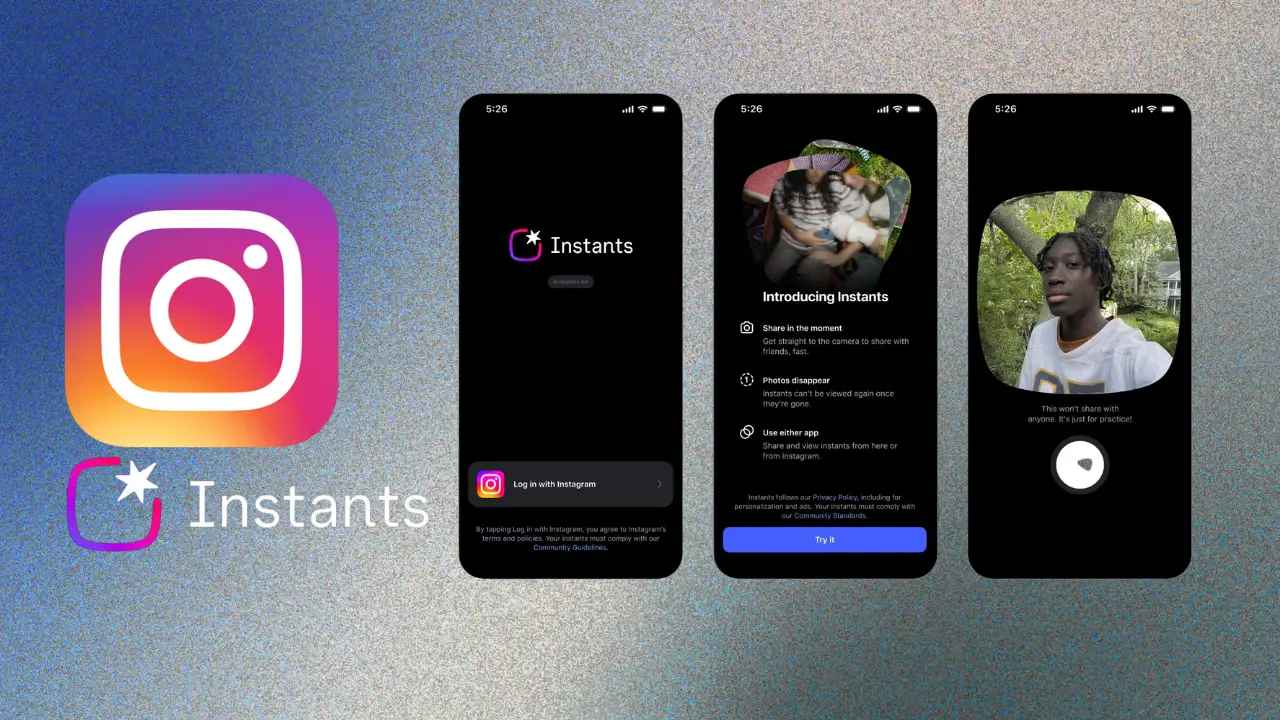
Instagram has been rolling out a bunch of new tools lately, and one of the more interesting ones is called Instagram Instants. The idea is pretty simple — instead of spending time editing a photo and posting it an hour later, you just snap it and share it right then and there.
If you’re someone who likes sharing moments as they happen — a trip, a concert, just hanging out — this feature was basically made for you. Let’s walk through everything you need to know.
So, What Exactly Is Instagram Instants?
Think of it as Instagram’s answer to spontaneous sharing. It’s not about the perfectly filtered, carefully captioned post. It’s about shooting a quick photo and getting it out to your people in seconds.
The main things it offers:
- Upload photos the moment you take them
- Choose a small, specific audience instead of blasting it to everyone
- Content that can disappear after a while
- A camera that opens up fast, right inside the app
It feels more like texting a photo to a friend than making a formal post.
Why Did Instagram Even Make This?
Honestly, people are tired of over-produced content. There’s been a big shift toward raw, in-the-moment stuff — and Instagram noticed. Features like BeReal showed that users actually enjoy seeing real life, not just highlight reels.
So Instagram built Instants to:
- Get people sharing more naturally and often
- Speed up the whole posting process
- Bring back some of that personal, private-feeling sharing
- Keep users more engaged without the pressure of “performing” for a big audience
It makes sense when you think about it.
How Do You Actually Use It?
Pretty straightforward once you find it. Here’s how it goes:
Step 1 — Update your app
This won’t show up on an older version, so head to your app store and grab the latest update.
Step 2 — Find the Instants option
Look near your Stories or Messages tab — it’ll show up as an “Instants” button depending on which version you have.
Step 3 — Take your photo
Open the camera, take the shot. You can toss on a quick sticker or some text if you want, but you really don’t have to.
Step 4 — Pick who sees it
This part is actually really nice. You can share with:
- Just your Close Friends
- All your followers
- Specific people
- A private group
Step 5 — Hit send
That’s it. It goes out right away.
What Makes It Worth Using?
A few things stand out:
Speed — There’s almost no friction between taking a photo and sharing it. It’s designed to be quick.
Control over your audience — You’re not stuck choosing between “everyone” and “no one.” You can get pretty specific about who sees what.
Fast camera access — The camera loads quickly. Small thing, but it matters when you’re trying to catch a moment.
Reactions from friends — People can reply with emojis or quick messages right away, so it actually feels like a conversation.
Temporary content — Some Instants can be set to disappear, which makes sharing feel lower stakes.
Is It Private and Safe?
Instagram built in a few useful controls:
- Limit who can see each photo
- Block screenshots in certain chats
- Mute people you don’t want hearing from
- Turn off replies
- Delete an Instant whenever you want
Just take a second to check your audience settings before you share anything personal. It’s worth the habit.
Read More: Connect AirPods with MacBook Air Easily
Running Into Problems?
Here are a few quick fixes:
Can’t find the feature? — Update the app. It’s also rolling out in stages, so it might not be in your region yet.
Photos not sending? — Check your internet connection, then restart the app.
Camera not working? — Go into your phone settings and make sure Instagram has permission to use the camera.
Can’t choose your audience? — Try logging out and back in.
Final Thoughts
Instagram Instants is a genuinely useful addition if you’ve ever felt like regular posting was too much effort for a quick moment. It strips out the complicated stuff and just lets you share — fast, casually, and with the right people.
It’s not going to replace Stories or regular posts, but it fills a gap that a lot of people probably didn’t realize was there. Give it a try next time something happens worth sharing.
FAQs
Q1. What is Instagram Instants?
Answer- A feature that lets you share photos instantly with a chosen audience, without the usual editing process.
Q1. Is it different from Stories?
Answer- Yes — Instants are faster, more casual, and usually shared with a smaller, more specific group.
Q1. Can I control who sees my Instants?
Answer- Absolutely. You can pick from Close Friends, specific contacts, or private groups.
Q1. Do Instants disappear?
Answer- Some do, depending on your settings — similar to how temporary content works elsewhere on the app.
Q1. Why can’t I see it yet?
Answer- It may not have rolled out in your country yet. Keep your app updated and check back soon.