


So you muted someone’s Notes a while back and now you’re wondering how to undo that? Don’t worry, it’s honestly one of the easiest things to fix on Instagram. Whether you muted them by accident or just changed your mind, you’ll have their Notes showing up again in no time.
What Even Are Instagram Notes?
If you’re not super familiar with Notes, here’s the quick version: they’re tiny text updates – 60 characters max – that sit right at the top of your DM inbox. Think of them like a mini status update. They vanish after 24 hours, kind of like Stories, so they’re pretty low-key by nature.
Why Would Someone Mute Notes in the First Place?
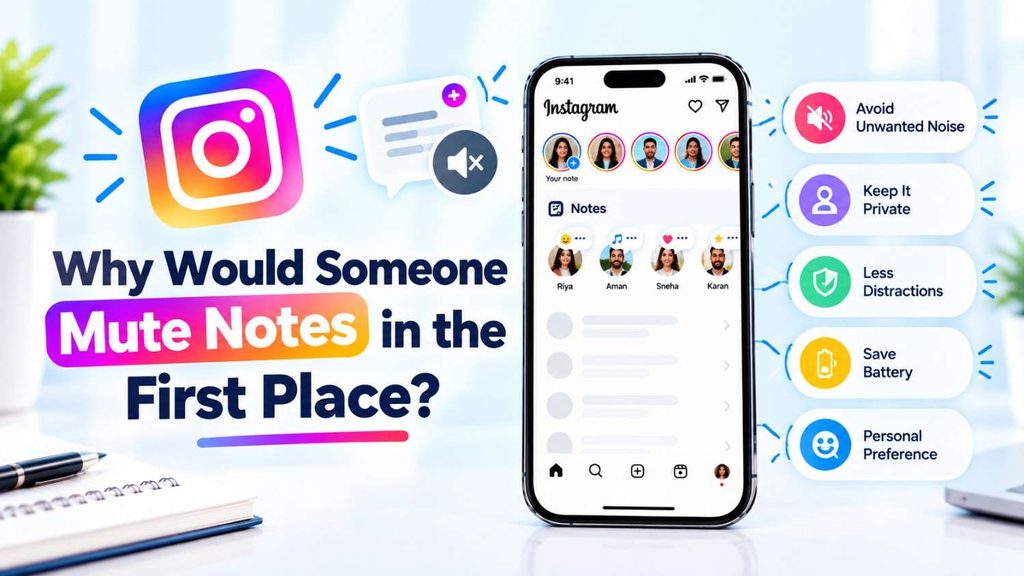
Honestly, pretty relatable reasons:
- Someone’s posting Notes constantly and it feels like a lot
- The updates just aren’t relevant to you anymore
- You wanted a cleaner, less cluttered inbox
No judgment – sometimes you just need a little less noise. The good news is you can flip it back whenever you feel like it.
Can You Actually Unmute Notes?
Yep, totally. Instagram lets you unmute Notes at any point, and once you do, that person’s future Notes will pop back up in your inbox just like before. They won’t get any notification about it either, so no awkwardness.
How to Unmute Someone’s Notes (3 Ways That Work)

Method 1: Do It From Their Profile Page
Probably the fastest way is this:
- Navigate to Instagram and locate the person’s profile
- Tap on Following button
- Now tap on Mute
- Locate the Notes toggle and turn it off
Nothing more. Their Notes should start showing up again the next time they post one.
Method 2: Adjust Settings
If you don’t remember who you muted their Notes or just like to do it this way:
- Navigate to Your Instagram profile
- Tap the three-line menu (top right)
- Scroll Down
- Click on Muted accounts
- Locate the person and unmute the Notes
This method can also be useful if you want to do a full audit of everyone you’ve muted.
Method 3: See Your Follow List
Another way of getting there:
- Go to your profile page.
- Tap on Following
- Search the person’s name
- Tap Following > Mute.
- Disable Mute Notes
All three methods do the same thing – just pick whichever feels easiest for you. - Read More: How to Connect and Forget Wi-Fi on Apple TV
What Changes After You Unmute?
Not a whole lot changes immediately, which is normal. Here’s what to expect:
- Their Notes will reappear in your inbox whenever they post a new one
- You won’t see anything retroactively – only new Notes going forward
- They have zero idea you unmuted them
Is unmuting someone’s Instagram Notes worth doing?

It depends why you muted them in the first place.
Unmute if:
- You muted them during a specific scenario (drama, spam of notes) that’s passed.
- You really want to see their status updates/notes again and just forgot that they were muted.
- You are striving to keep more in touch with that individual.
If you want to mute them:
- Their notes were annoying, too much info or just noise you didn’t want.
- You muted on purpose for peace of mind (exes, acquaintances, etc.) – no practical downside to leave it as is.
Good to know:
- Muting someone’s notes is one-way and quiet – they’re never told either way.
- It only affects the little status bubble on their profile pic in DMs, nothing else (they can still message you, see your posts, etc.) – Unmuting doesn’t send any kind of notification or signal to them.
There’s no genuine “benefit” in a general sense – it’s just a personal preference toggle. If you’re dubious, there’s no harm in unmuting; you can always mute again in two taps if their notes turn out to be more clutter than you desire.
Still Not Seeing Their Notes?
If you’ve gone through the steps and still nothing’s showing up, a few things could explain it:
- They haven’t posted a Note recently – Notes only last 24 hours, so if they haven’t shared one since you unmuted, there’s nothing to show yet
- Your app might be outdated – a quick update from the App Store or Play Store can fix a lot of weird Instagram glitches
- You might not be on their list – if they’re sharing Notes only with Close Friends, you’d need to be in that group to see them
Wrapping Up
Unmuting someone’s Notes on Instagram is genuinely a two-minute fix – maybe even less. Whether you do it from their profile, your settings, or your following list, the steps are straightforward and nothing gets sent to the other person. So if you’ve been missing someone’s updates and didn’t realize Notes were the reason, now you know exactly where to look.
Quick FAQs
Q.1. Answer, How do I know if I muted someone’s Notes?
Answer- Head to Settings → Muted accounts and you’ll see a full list.
Q.2. Answer How, Will they know I unmuted them?
Answer- Nope. Instagram doesn’t send any notification for muting or unmuting.
Q.3. I unmuted them but still can’t see their Notes – why?
Answer- They probably just haven’t posted a new Note since you unmuted. Give it a little time.
Q.4. Answer how Can I mute Notes without muting their Stories or posts?
Answer- Yes! Instagram lets you control Notes, Stories, and posts separately, which is actually pretty convenient.
Q.5. Say, How long do Notes last?
Answer- Just 24 hours – then they disappear on their own.